
The IRD number and tax rate selector in a banking app are used to help the bank withhold the correct amount of tax from your interest and dividend earnings.
The IRD number is a unique identifier that is issued to all New Zealand residents by the Inland Revenue Department (IRD). It is used by the IRD to track your income and tax payments.
The tax rate selector allows you to choose the tax rate that you want to apply to your interest and dividend earnings. The tax rate that you choose will depend on your individual circumstances, such as your income level and marital status.
When you open a bank account in New Zealand, you will be asked to provide your IRD number and choose a tax rate.
Overlay IRD and RWT(Rate) selector acceptance criteria
-
Allow used to input their IRD number
-
Users are able to change / select the tax rate option based on the countries’ tax bracket
-
After setting up, users are allowed to override the information in the profile setting.
-
The rate will be applied to the saving’s interest
-
The tax reduction on the interest transactions are recorded in the transaction history.
MAIN UI SPECS
-
STATE 1:
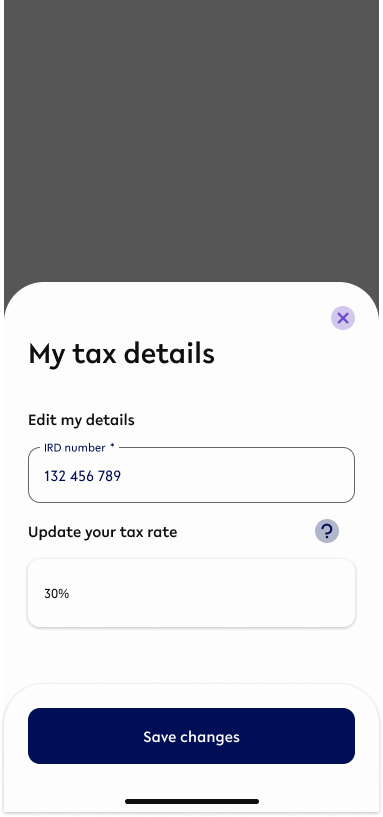
Property
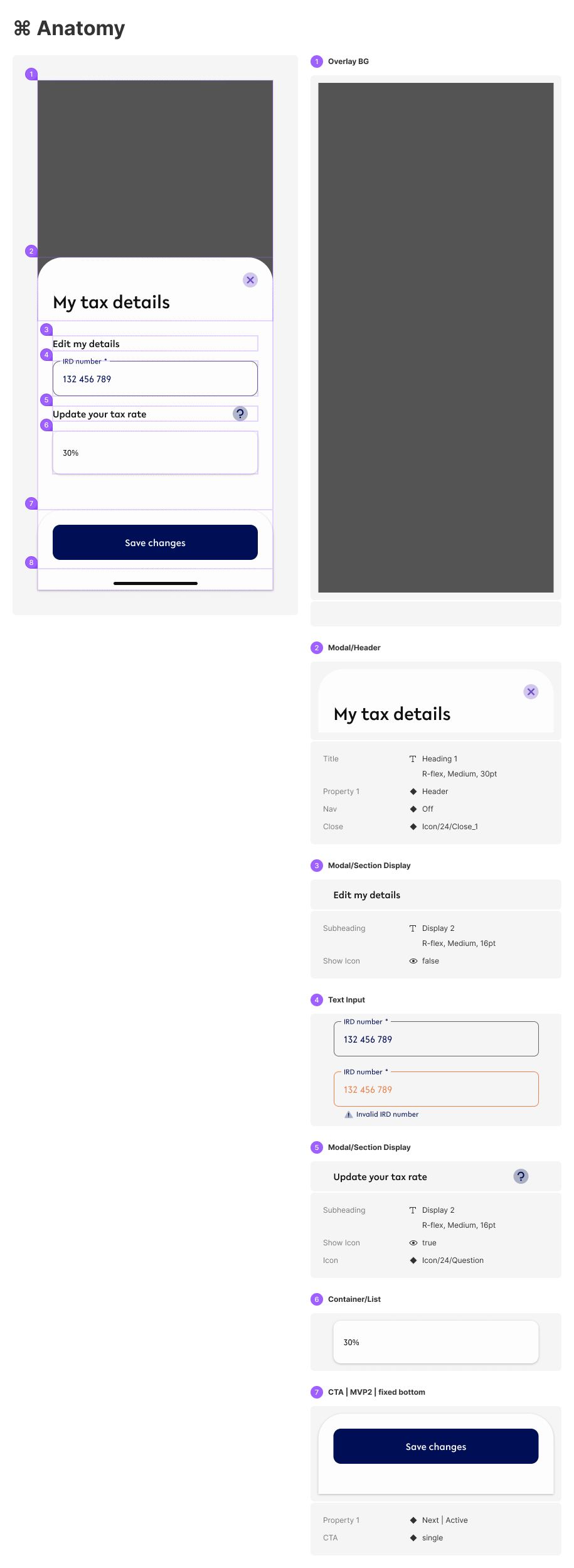
Specification

-
STATE 2:
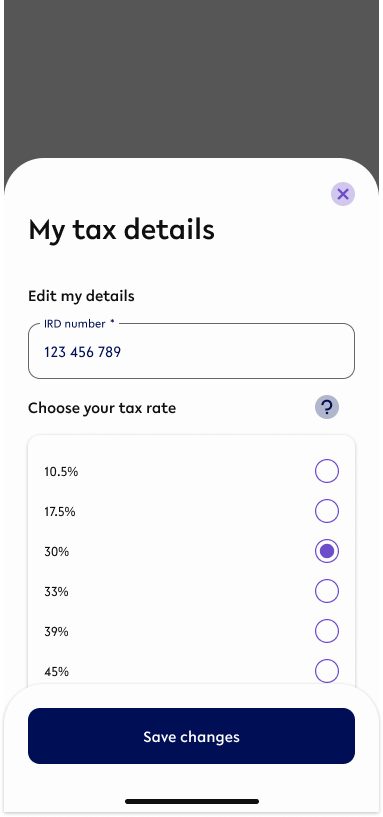
Property
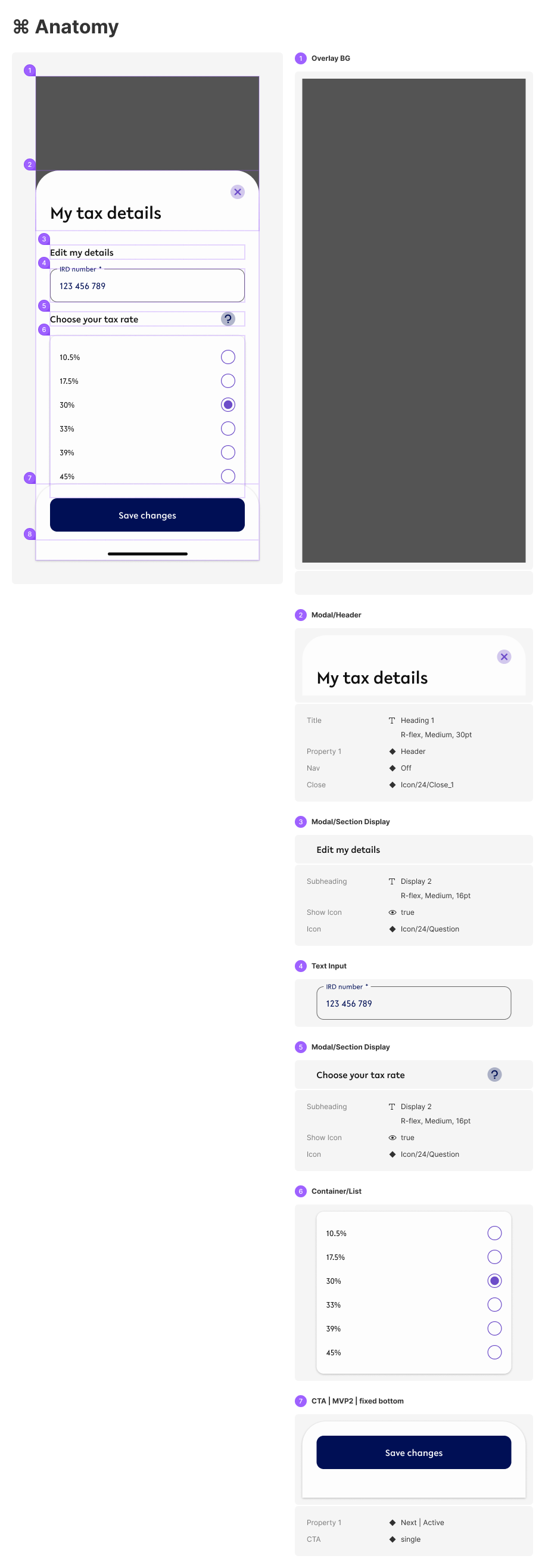
Specification

HOW DOES THE
OVERLAY ANIMATE?
IRD selector are found in the following flows
-
Apply and Open
When the user opens the interest bearing savings account for the first time -
Edit IRD & RWT
Once the IRD and tax rate is added when savings account is create, user can change the
APPLY AND OPEN
Homepage>Self service menu>Apply&Open>Select Interesting savings>Set up account>Agree to T&C>Interest&Tax.
Figma Component - Initial interest bearing savings flow
-
This flow only works for interest bearing savings account.
-
This flow only applies to first time creation when the user does not have any IRD and RWT registered into the account
As part of the application of interest bearing savings account, IRD and tax rate(RWT) are essential. If the user has not saved any of the IRD&RWT detail, it is introduced as the initial step to steup now as shown in the sequence of screens.
SCREENS
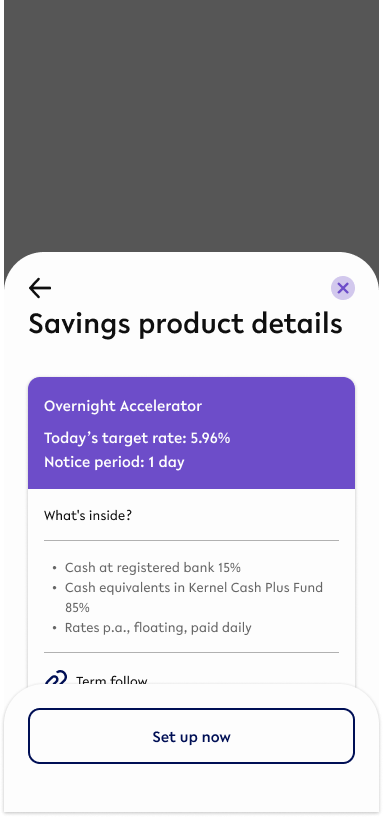
Savings product detail
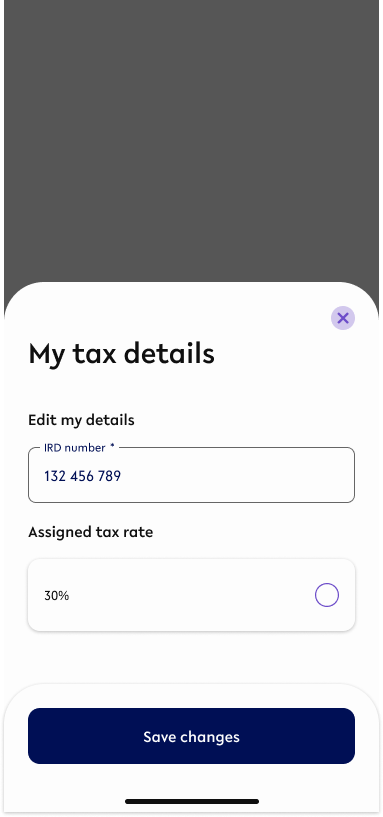
COLLAPSED
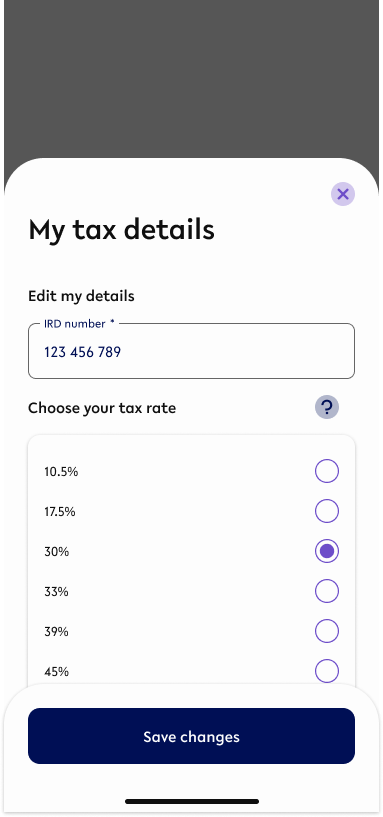
EXPANDED
STEPS:
-
CTA set up now from Savings product detail
-
Input IRD number
-
Inline validation to check if the IRD number is valid - Validation happens real time
-
Keyboard slides up from the bottom with minimum gap of 16 between the input field and the keyboard. Refer to https://youtap.atlassian.net/l/cp/bJNbgHN8
-
-
Tap on the tax rate button to change/assign a tax rate.
-
Select tax rate from the list
-
Confirm
EDIT MY TAX DETAIL
Homepage>Self service menu>My profile>Edit my tax detail>My tax detail overlay
Figma Component - Edit via Profile Setting
-
This flow is available only after user has saved IRD and RWT details before hand.
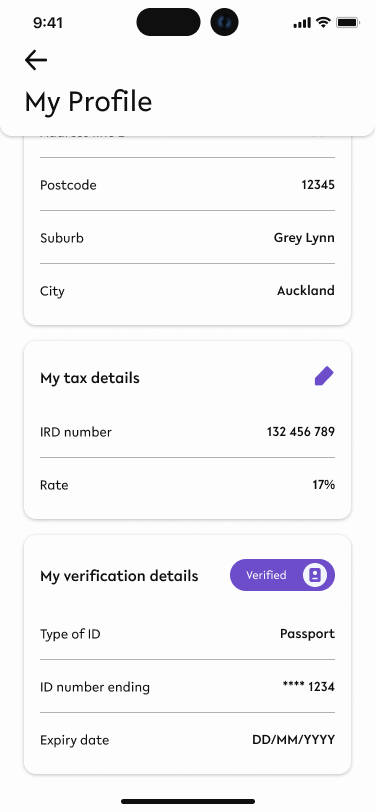
My profile page
COLLAPSED
EXPANDED
STEPS:
-
Tap Edit icon from ‘My tax detail’ frame of My profile page
-
Edit IRD number (optional)
-
Inline validation to check if the IRD number is valid - Validation happens real time
-
Keyboard slides up from the bottom with minimum gap of 16 between the input field and the keyboard. Refer to https://youtap.atlassian.net/l/cp/bJNbgHN8
-
-
Tap on the tax rate button to change/assign a tax rate. (Optional)
-
Select tax rate from the list
-
Confirm