
Requirements
-
The PIN code must be at least 6 digits long and must not be easily guessed, and has to be entered correctly to proceed
-
The PIN code must be re-entered for any high-risk transactions, such as transferring money to another account or making a large purchase.
-
The PIN code must be entered for
-
Any update to personal settings:
-
Linked bank account revoke and link
-
Linking new bank account
-
Open device manager
-
Biometric toggle on/off
-
Account closure
-
-
high-risk transactions, such as transferring money to another account or making a large purchase.
-
Displaying/reveal hidden information
-
Card PIN
-
Card details
-
-
-
The PIN overlay should be focused when it is entered into the app. This done by using a masking 70% black overlay on the page content, and displaying the PIN Enter overlay on top of the masking
-
The app should not store the PIN code in cleartext. The PIN code entered are to be displayed with different coloured fill.
What is it for?
The purpose of PIN verification in financial apps is to add an additional layer of security to protect users' accounts from unauthorized access. A PIN is a short numerical code that is known only to the user, and it is used to authenticate the user when they log in to the app or make a transaction.
PIN verification is especially important for financial apps because they often contain sensitive financial information, such as account numbers, balances, and transaction history. By requiring users to enter their PIN, financial apps can help to prevent unauthorized access to this information and protect users from fraud.
Here are some of the benefits of using PIN verification in financial apps:
-
It adds an additional layer of security to protect users' accounts from unauthorized access.
-
It helps to prevent fraud and identity theft.
-
It can make users feel more confident in the security of their financial information.
How to use it?
When overlay appears, enter the PIN using the keypads provided. The process
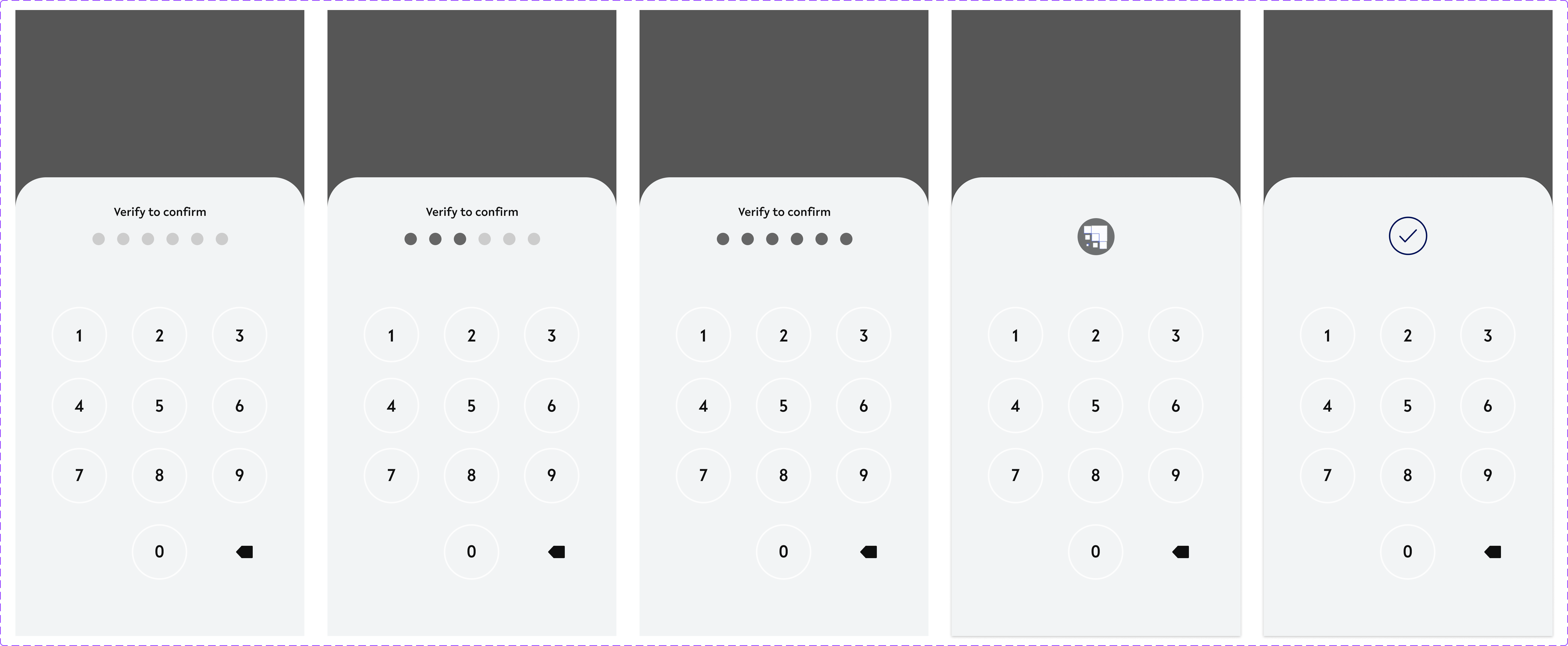
States & Animations:
-
Empty state
-
PIN Filled states
-
Process/verifying state
-
PIN verification success state
DEV Spec & Properties
-
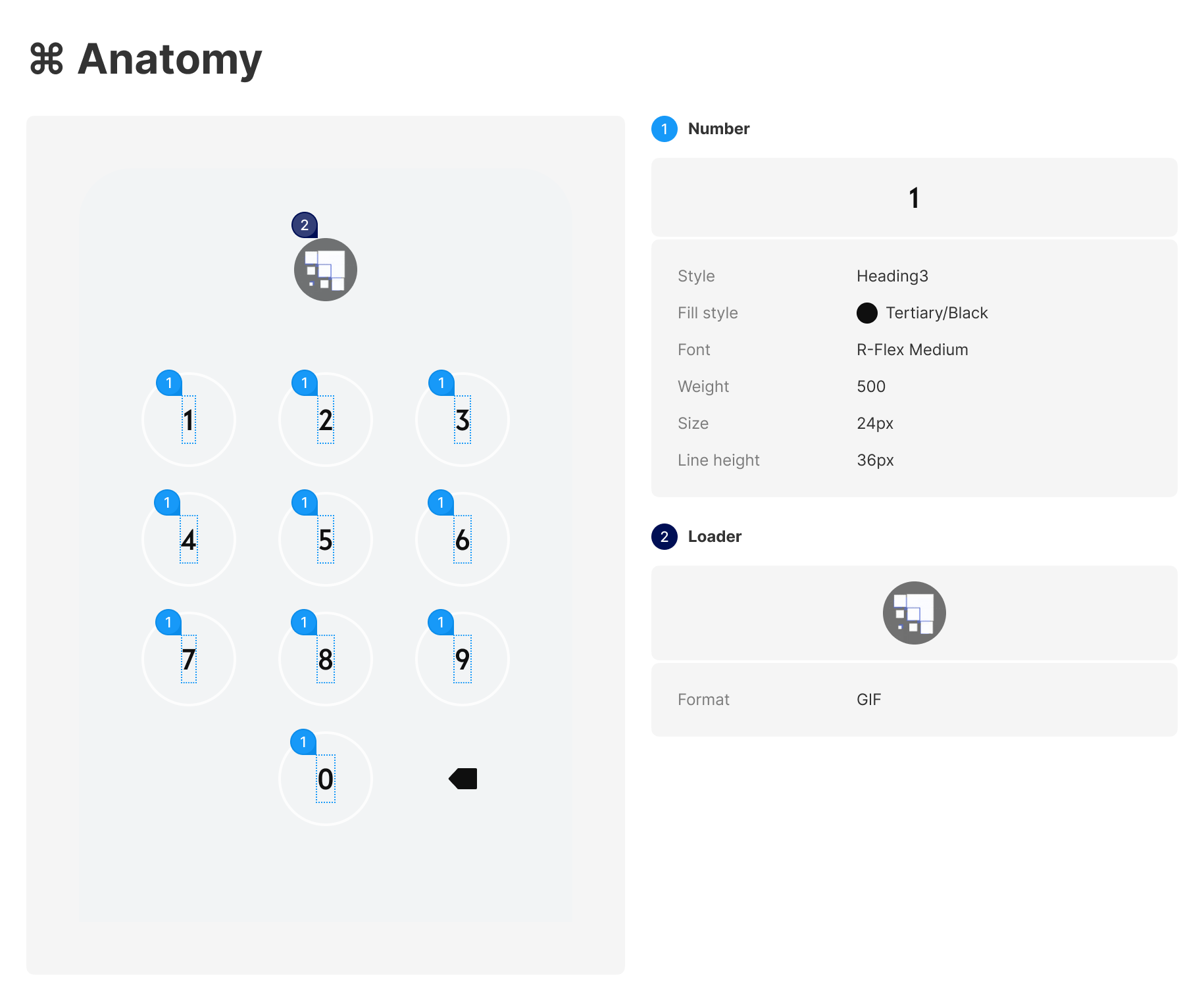
DEFAULT
PIN-verfication-indicator

Specifications
width - 176px (depending on amount of number for PIN)
height - 16px
space between elements - SP_2
DIMENSIONS

PROPERTY
-
VERIFYING - Proceeding
DIMENSIONS
*Refer to DEFAULT dimensions for general dimensions of numberpads
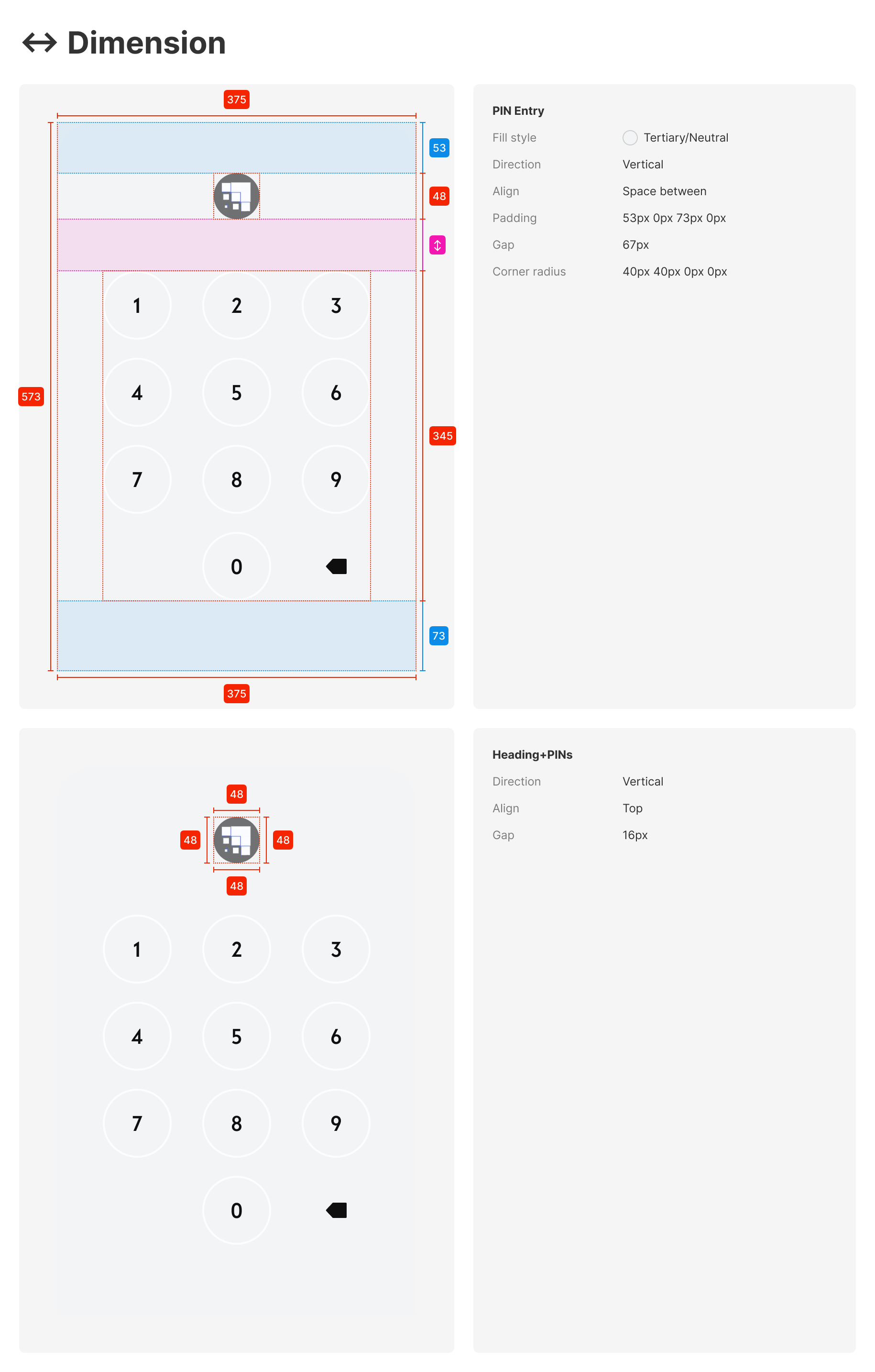
PROPERTY
-
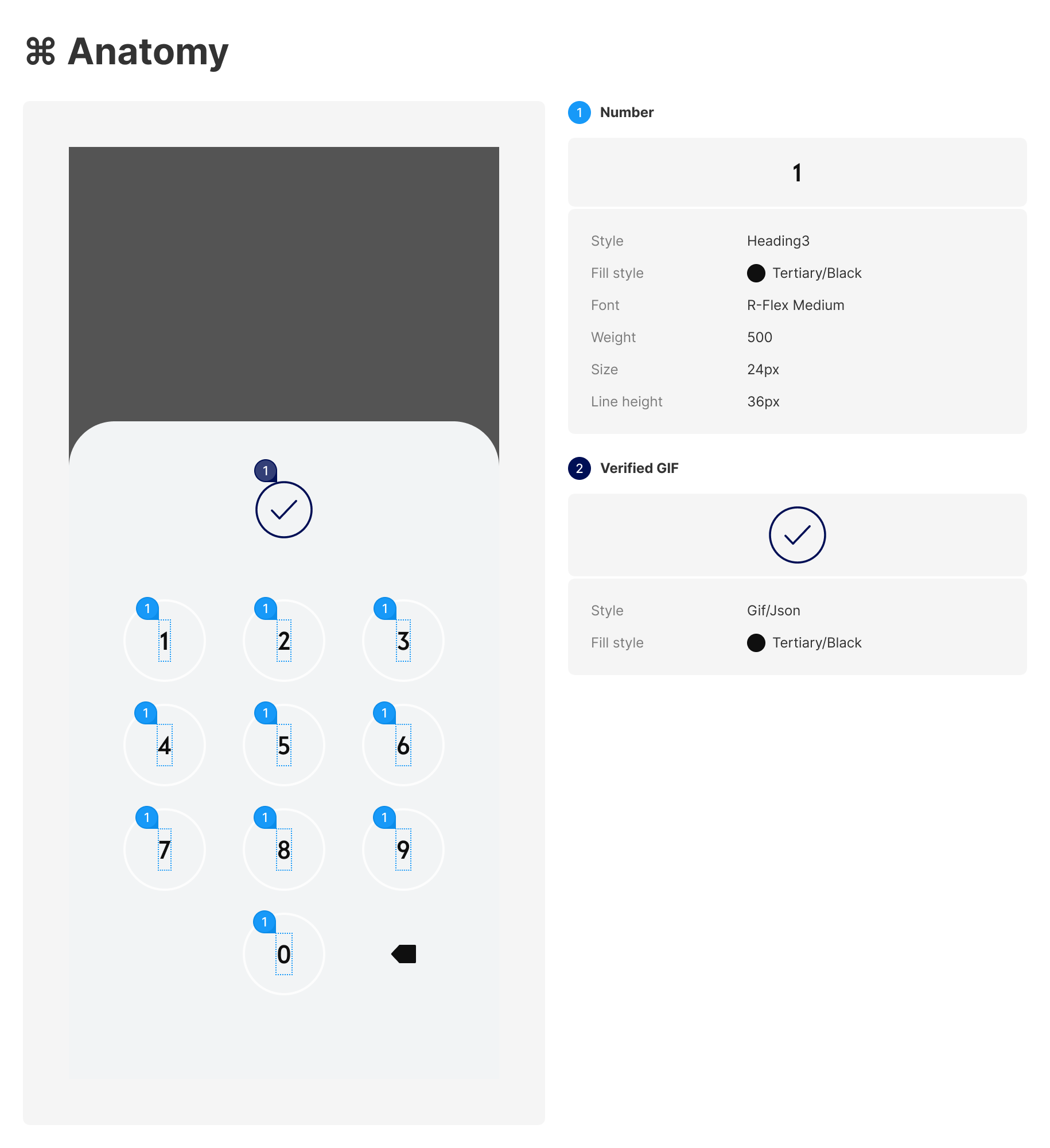
VERIFICATION - Success
DIMENSIONS
*Refer to DEFAULT dimensions for general dimensions of number pads

PROPERTY
USE CASES:
-
Move my funds - between account
-
Between multi-account
-
Cash in
-
Cash out
-
Pay
-
Request
-
Bill payment
-
Reveal QR Code
-
Account closure
-
Linked bank account revoke
-
open device manager
-
biometric turn on and off
-
Account pin change
-
Link new bank account
-
Card managements
-
Request cards (physical & virtual)
-
Activate physical card - create PIN
-
View card pin
-
Change card PIN
-
Reveal card detail
-